


Jun 30, 2026 Pick up your library holds after hours!
Is it hard for you to make it to the Library during our regular open hours to pick up your holds?
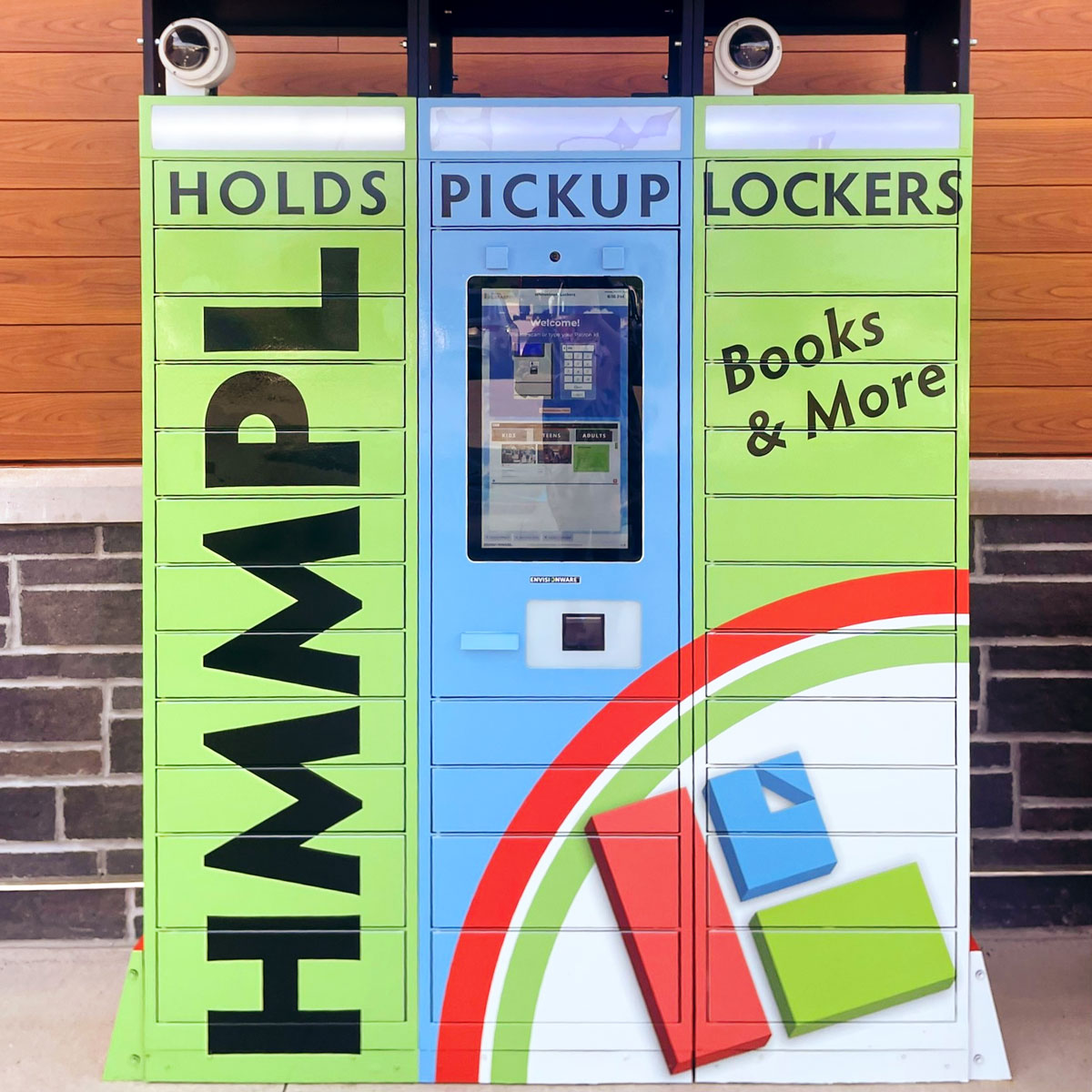
With our new holds lockers located outside the Whitestown branch, you can now pick up your holds at your convenience, any time!
Just change your holds location to the Whitestown Lockers. You can do this for a specific item when you place a hold, or you can make the holds locker your default holds location.
PLEASE NOTE: To pick up a hold from the holds locker, you must set this as the holds location before or while placing the hold. You cannot change your hold pickup location after the fact.
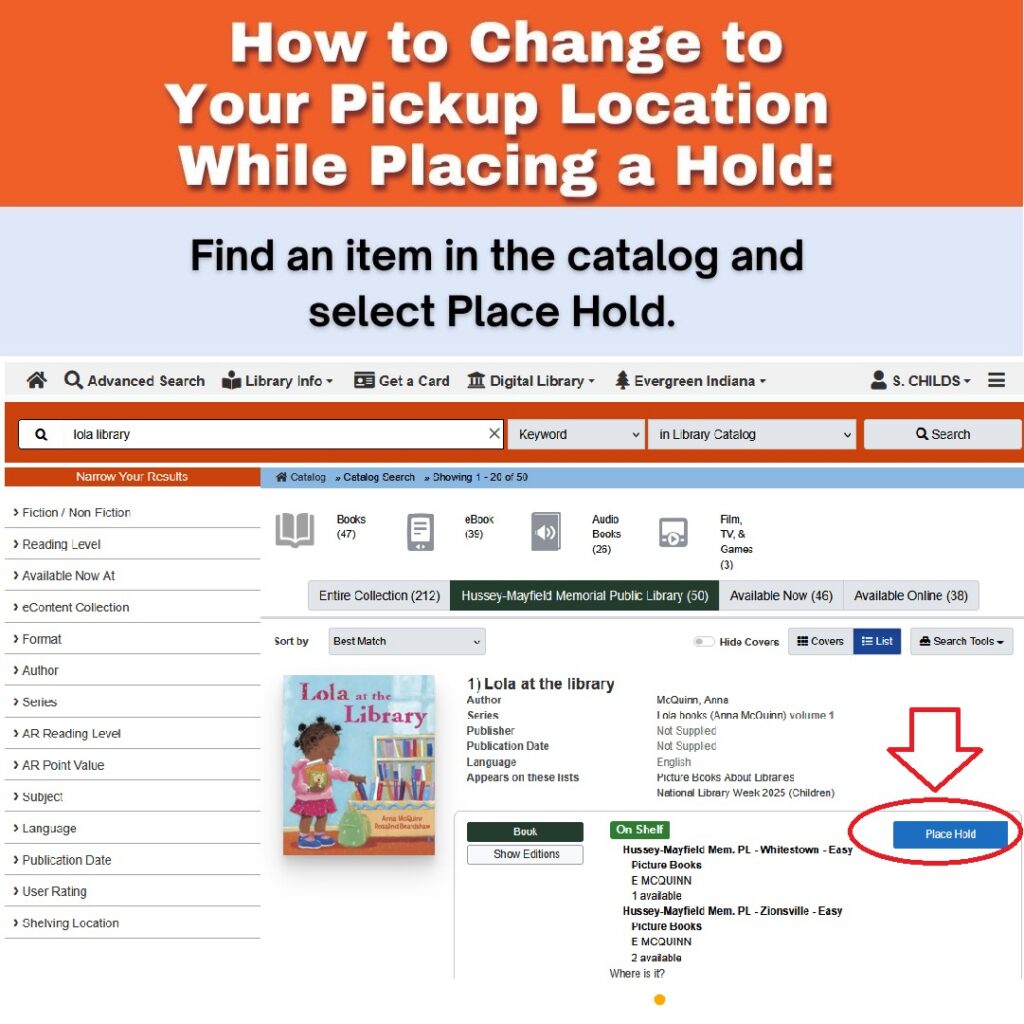
To change your hold pickup location to the Holds Locker when you place a hold:
1. Search for an item in the catalog and select Place Hold.
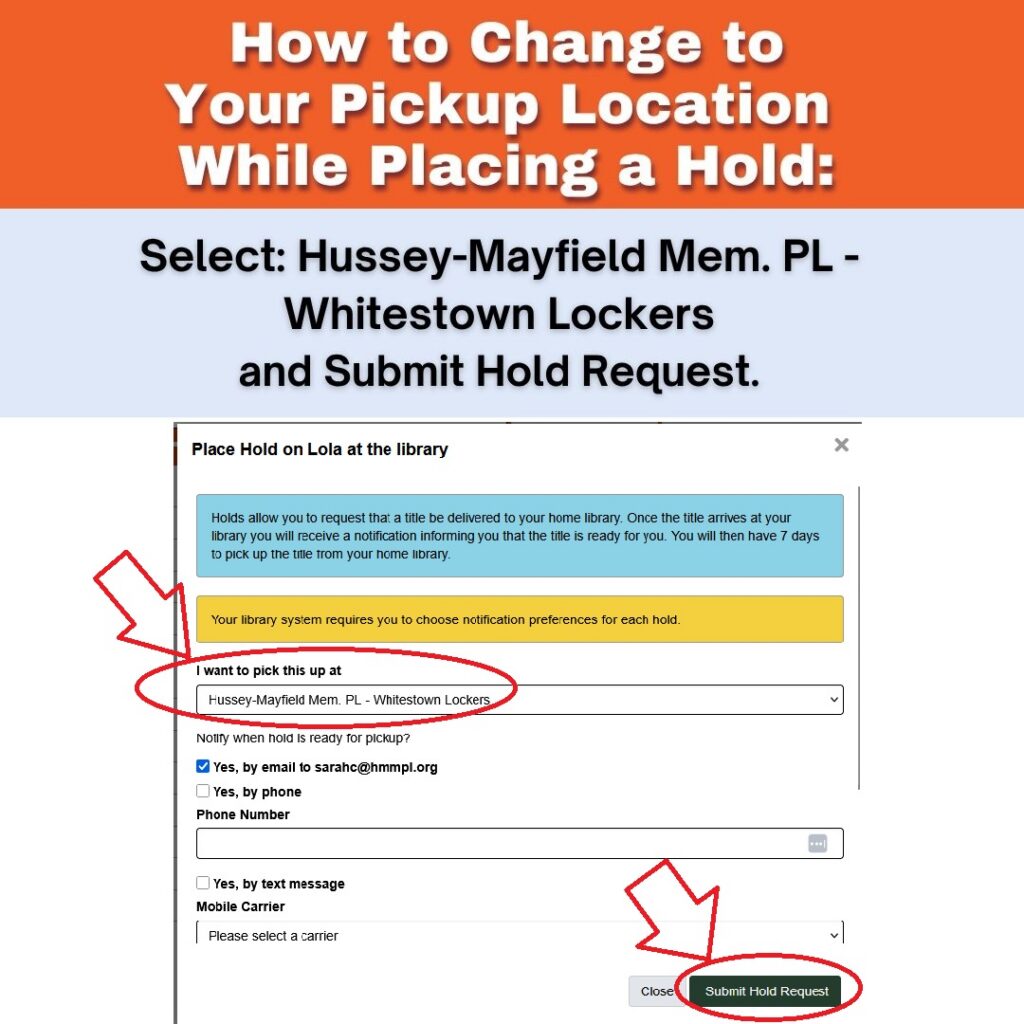
2. Select Hussey-Mayfield Mem. PL – Whitestown Lockers from the dropdown and Submit Hold Request.
To change your default hold pickup location:
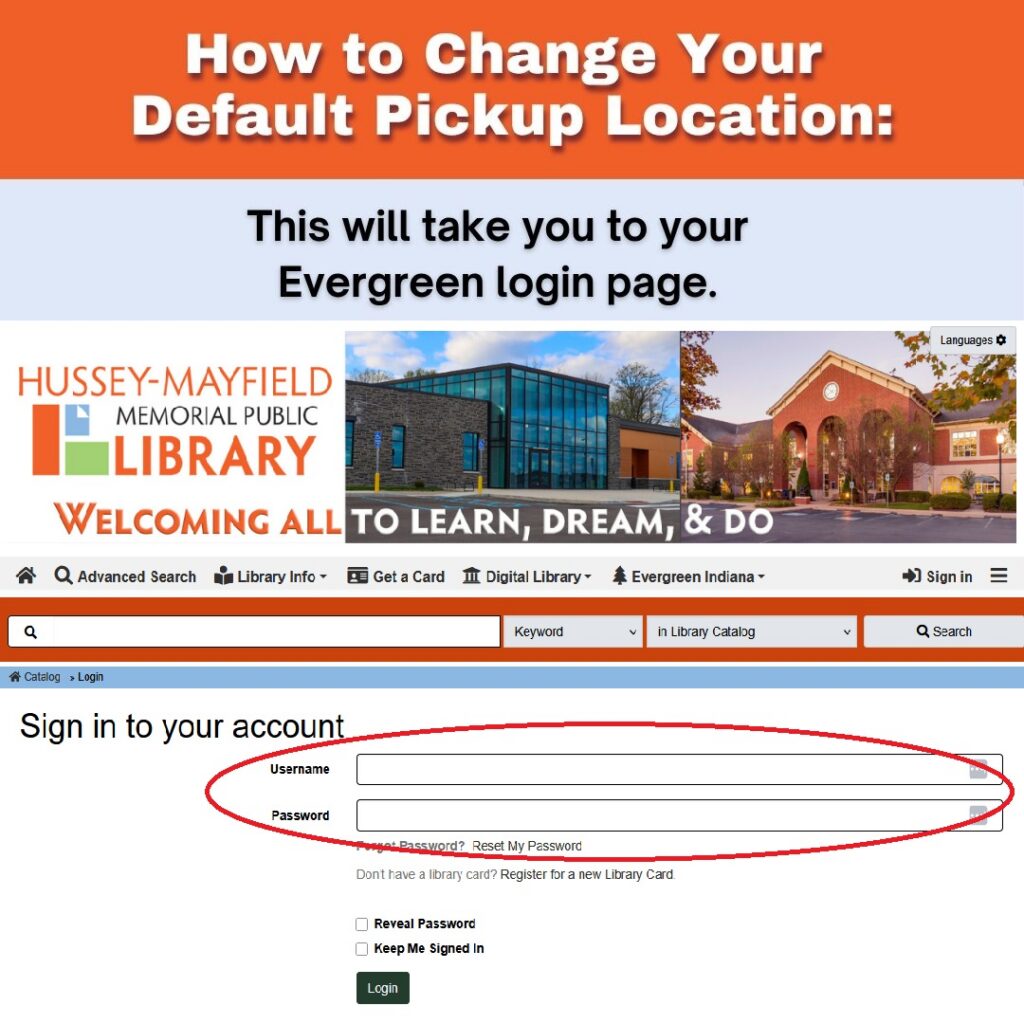
1. Go to HMMPL.ORG and select My Account.

2. This will take you to your Evergreen login page. Enter your Evergreen barcode or username and password to login.
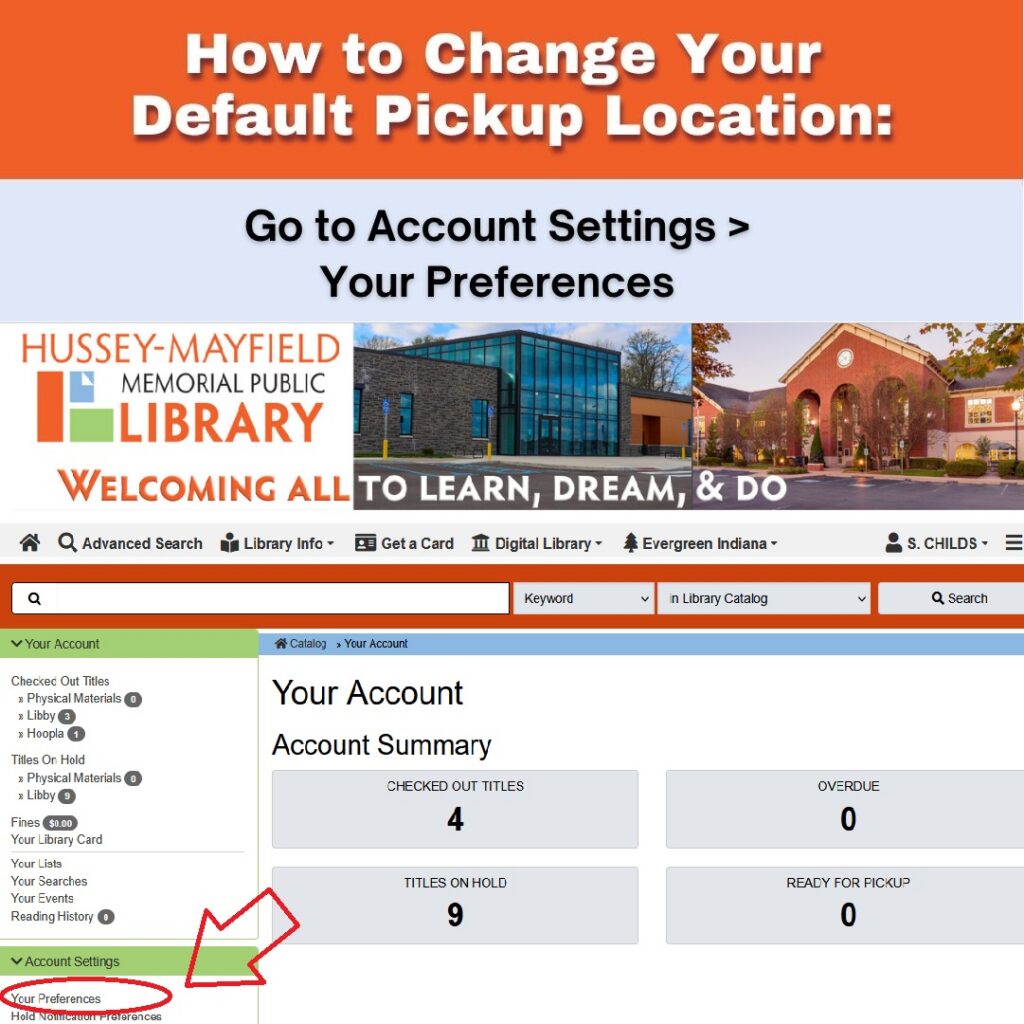
3. Then go to Account Settings and Your Preferences.
4. Select Hussey-Mayfield Mem. PL – Whitestown Locker from the dropdown and save your choice.

How to pickup your available hold(s) from the locker:
1. Wait until you receive notification that your hold is ready for pickup! Grab your library card, or make sure you know your library card number!
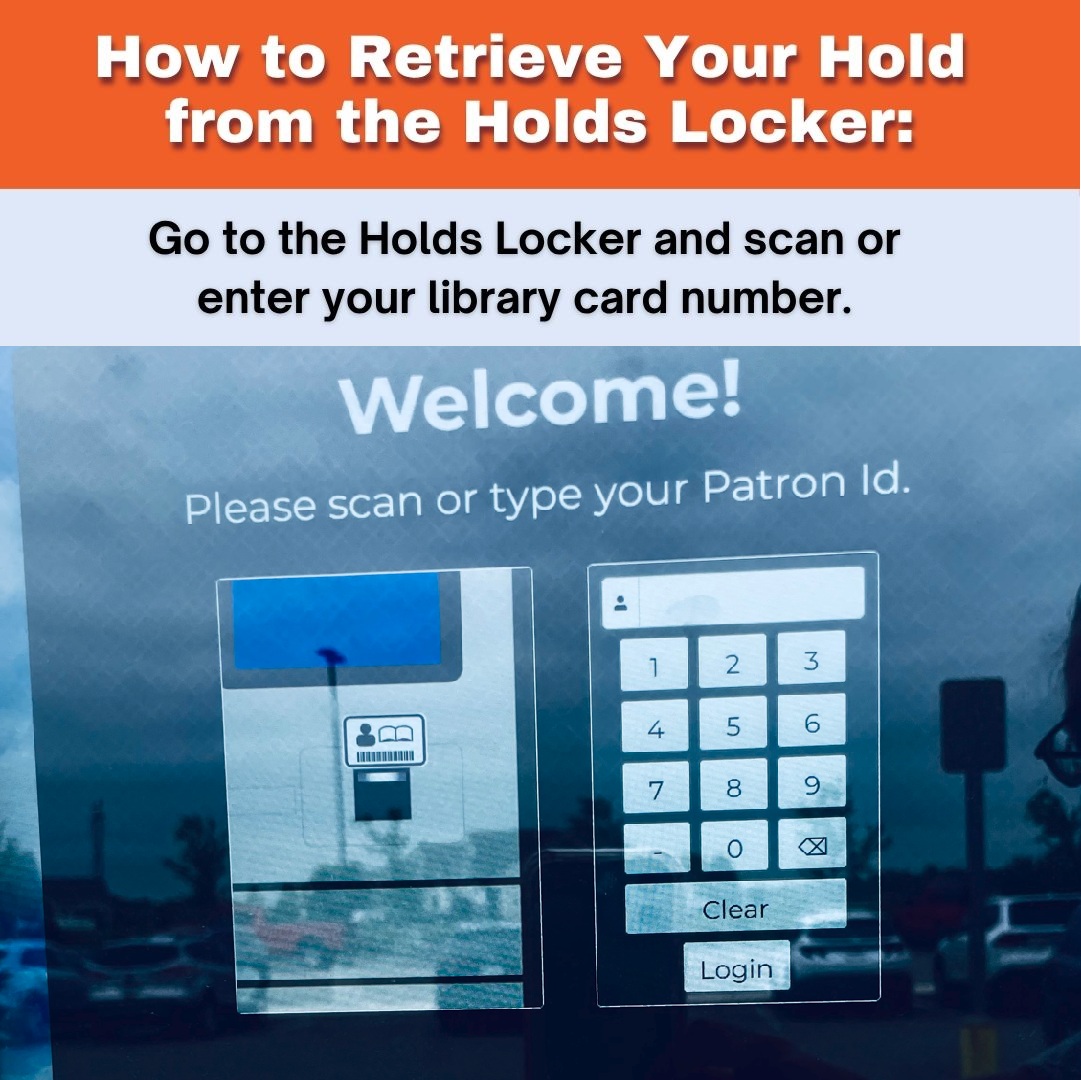
2. Go to the Holds Locker outside the Whitestown Branch and scan or enter your library card number.
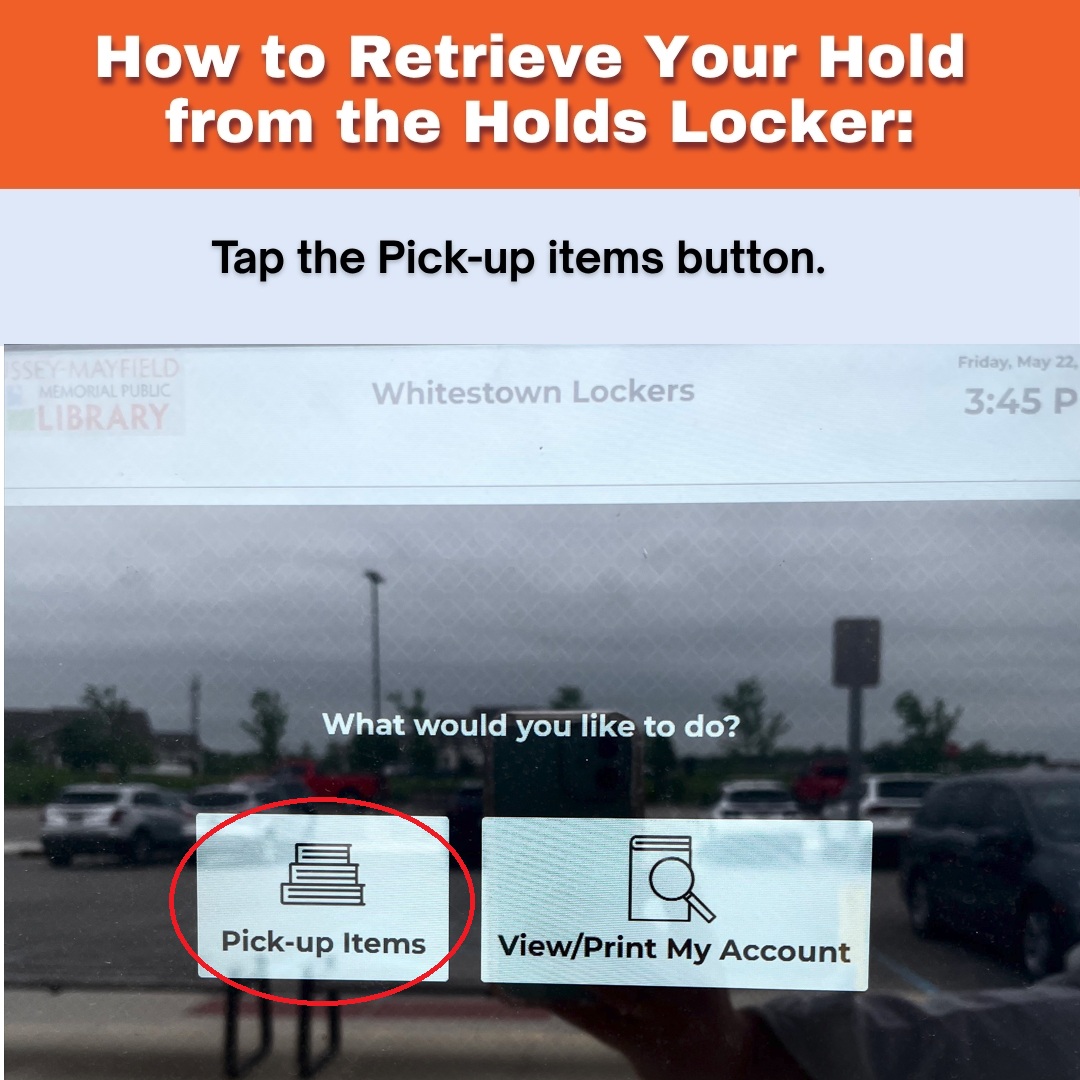
3. If you have have holds available for pick-up, the Pick-up Items button will display. Tap the button.
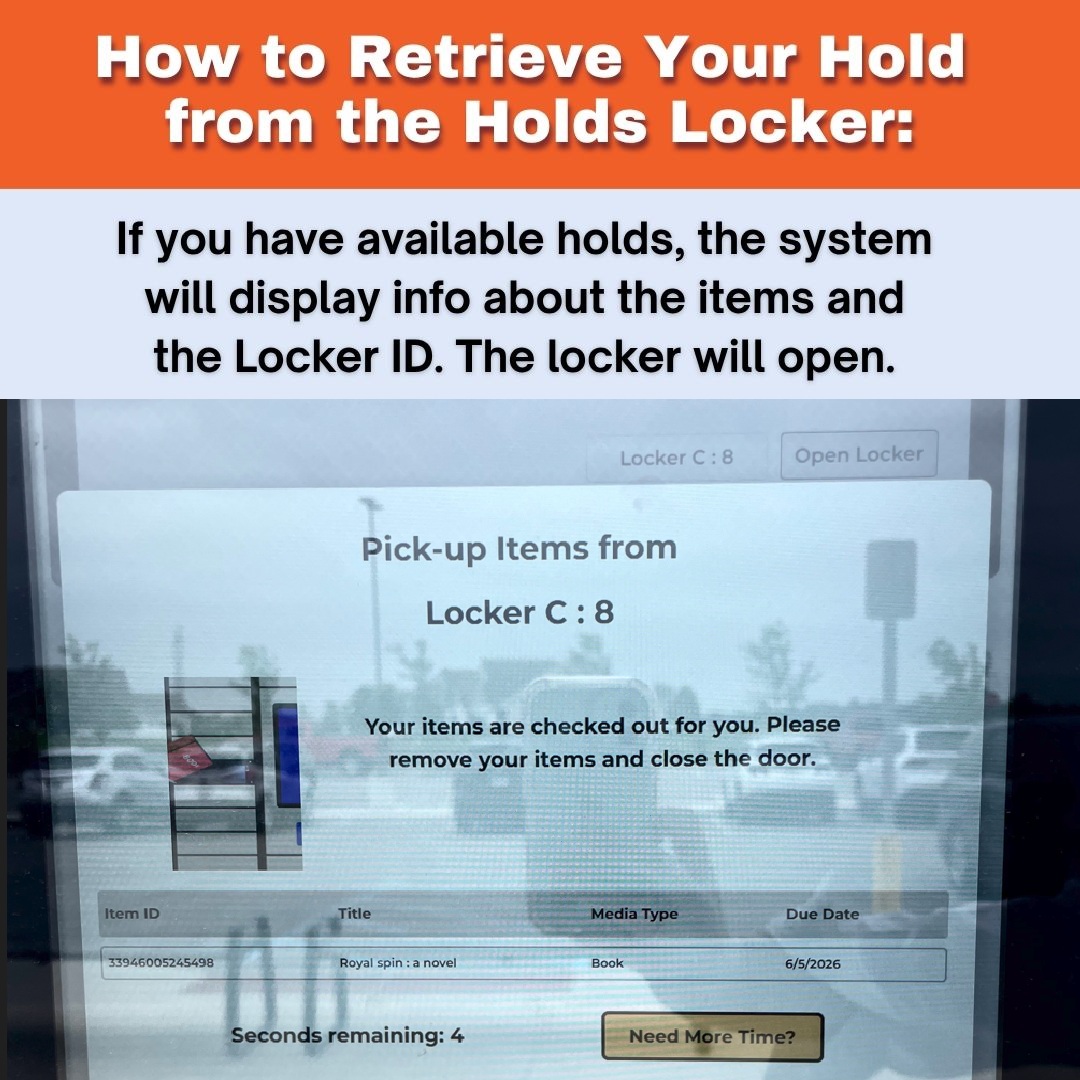
4. The system will display info about the items and the Locker ID. The Locker will open.
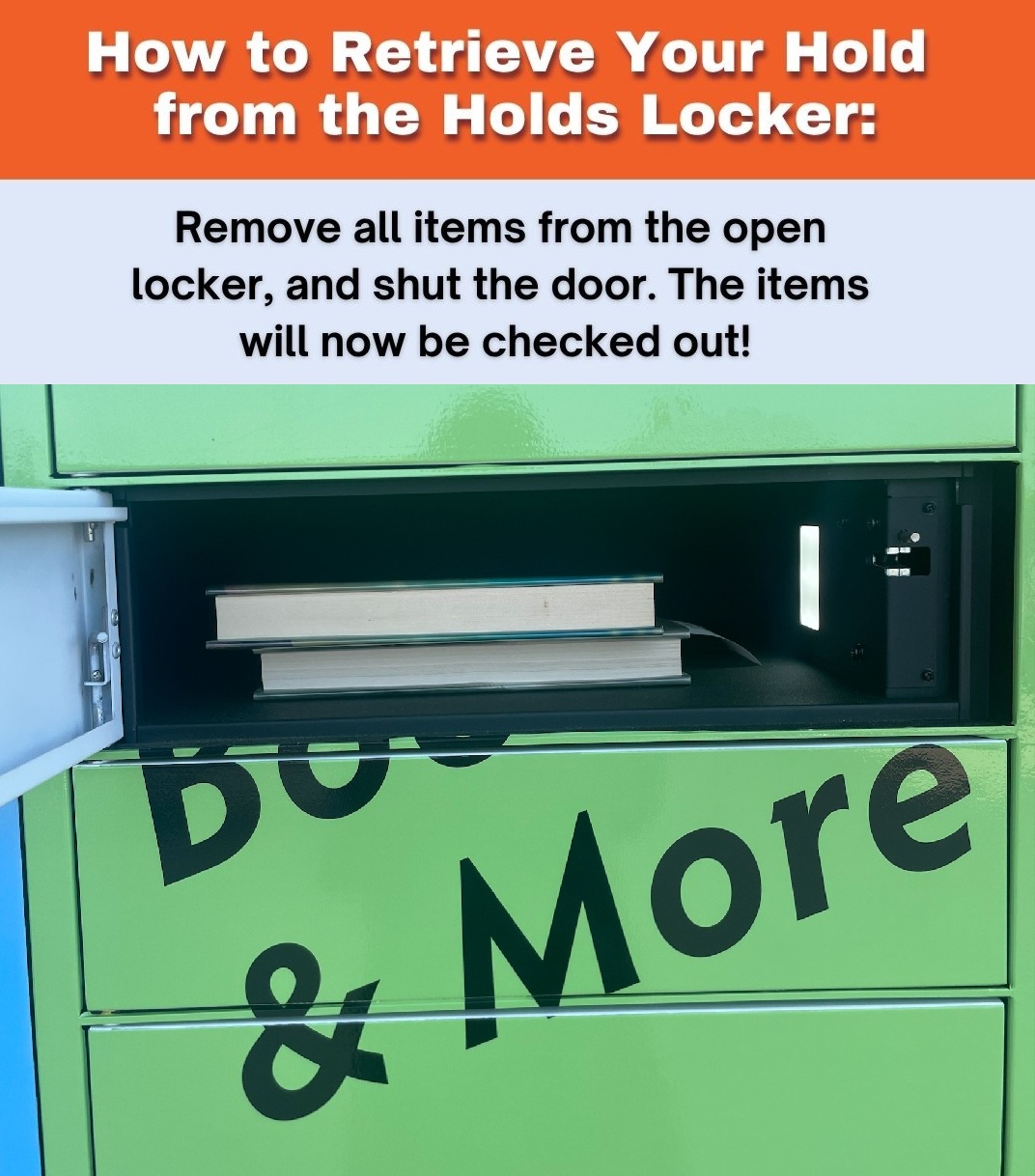
5. Remove all items from the open locker(s), and shut the door(s). The item(s) will now be checked out!
6. When you have picked up your items, tap Done Receipt or Done No receipt.
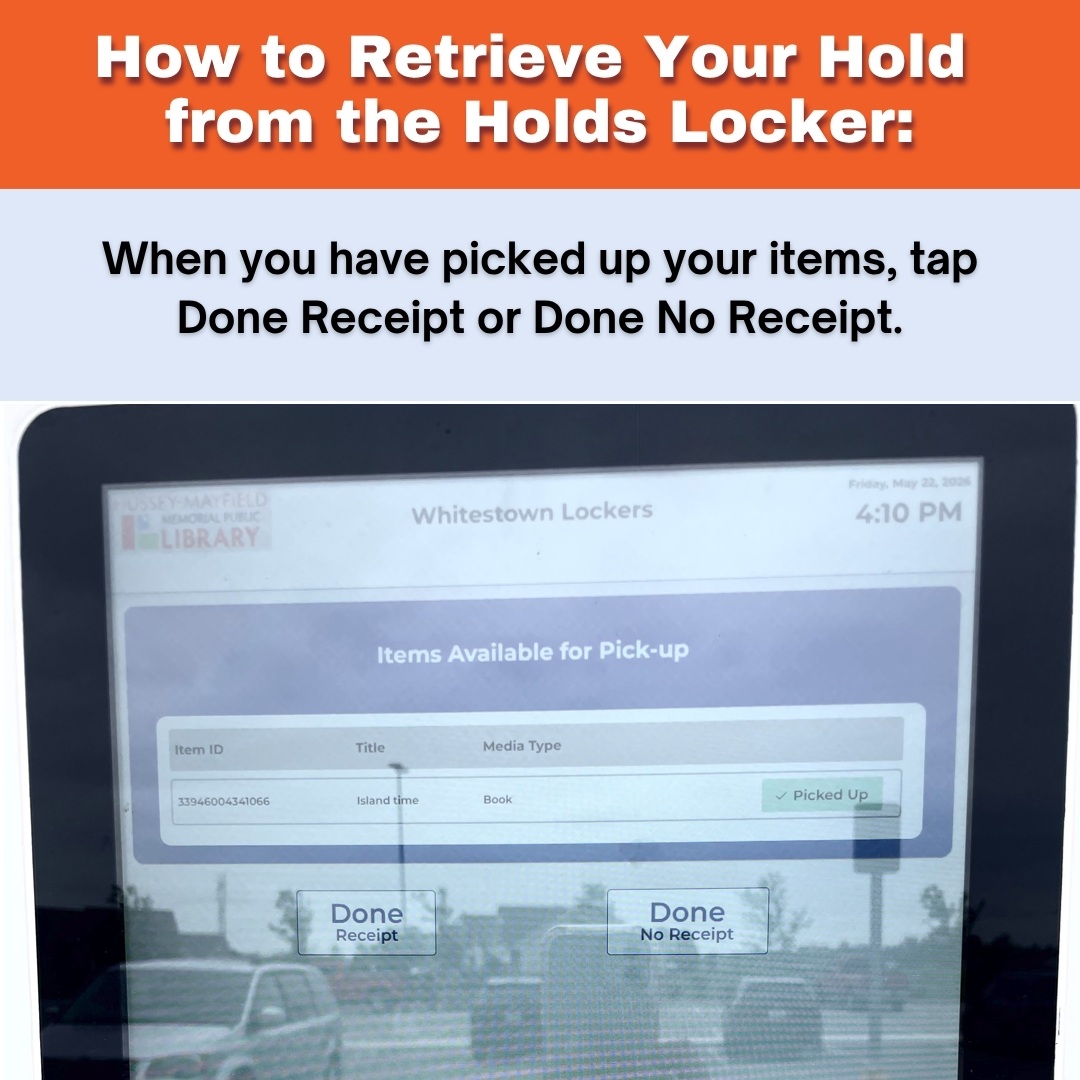
7. If you chose Done Receipt, confirm your choice and take your receipt!

8. If you encounter problems with the holds lockers when the Library is closed, please email wtaskalib@hmmpl.org.